Showing posts with label Using Picasa 3. Show all posts

Wednesday, 14 October 2026

WOYWW - 906 - What's On Your Workdesk Wednesday.

         Welcome to all my new followers, hope you enjoy the journey.

Hi Workdesk friends and welcome back Julia x 
We are here for another Wednesday at the Workdesk and here is:
"What's on my Workdesk this Wednesday".


If you don't know what this is all about then please visit
our host Julia and she will explain.

So here is my desk for today!


I showed you the start of this last week...


made with old playing cards.


And this is how I finished it.


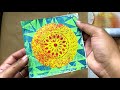
I scanned the original and then altered the colours using Picasa.

I have more details relating to this here if you're interested:
I'm afraid you will have to wait to see how I use them.

So that's me done for today.

Thanks for stopping by and hope you will pop over and visit the other desks.

 I'm off now to see what everyone else is up to.
Have a great woyww 

and 
happy crafting,

Angela x

Monday, 12 October 2026

Masterboard Monday.

      Welcome to all my new followers, hope you enjoy the journey.

I am here today to show you how the new Masterboard has progressed:

You may remember this from last week......


While sorting out the cabin I found these old playing cards and when I took them out of their packets they looked like this on the back.


I must say I preferred the back to the front.


The fronts of these cards might be useful to cut up but right now I've no ideas for them or maybe I was just distracted by the backs.


And this is what I did with them on an A3 sheet of card, but that's not all.....


Ink and stencils were used to start the design and yes these are snowflakes.


Once they were dry I added some white dimensional paste though stencil to complete the design.


It's a little more clearer to see here.


I've had a little extra play here using Picasa. 
If you've not seen me use this before it is a photo editing program, quite old now but it's easy to use and allows you to recolour your scanned art work.
I like to scan my designs so that I have a copy for future use.

You'll have to wait until next week to see how I use these but I will be back.

I would love to hear your comments.

Many thanks for stopping by and happy crafting,

Angela x

Monday, 15 January 2024

Masterboard Monday Review of 2023.

     Welcome to all my new followers, hope you enjoy the journey.

I am here today to show you another project from last year made with this Masterboard:


Those of you who follow me regularly will know how much I love making Retiform designs.


It's slightly different doing this on an A3 sheet of card but if you find it too much you can do this on smaller card too but when using a technique to make cards I like to use A3 so there's plenty to play with later.


And once that's completed you're ready to add the detail using stamps and stencils.


I used some Carabelle stamps by Kate Crane here.


I think I love this stage as much as making the cards.


And when that's completed what next?


Look closely, the one on the right has different colours.


And yet more.

I scan the original Masterboard and then put it onto Picasa which is a photo editing program and allows you to alter colours too.


And when you've played with that, the card is next.


More Carabelle and Kate Crane stamps.


This was one I made for Christmas which just shows how adaptable they are.

I would love to hear your comments.

Many thanks for stopping by and happy crafting,

Angela x

Monday, 28 December 2015

Masterboard Monday

Welcome to all my new followers, hope you enjoy the journey.

This is one of the Masterboards you might have seen me making and using. 


I wanted to have a play around with Picasa so thought I would use one of my Masterboards so copied it first and here's what I've done so far.

Using Picasa 3 to alter the original you can see some of the changes I made.

To the colour:

Similar but more blue which makes the baubles stand out more.


or completely different colours.


But it is also possible to Sharpen the images too as I have done here as well as changing the colour.


Hope this shows you how one simple design can be used again and again. 
Just altering the colour can give you hundreds of variations to use in your projects but there are other image manipulation methods which give great effects too.

If you like this I will be back with more ideas next week when I have had time to play again.


Happy crafting, 

Angela x


Blogs I follow

01 09 10